


Component Showcase
Review components and flag for removal. Reference by number/letter.
Legacy Components (Review)
| # | Component | Description |
|---|---|---|
| 1 | HowItWorksSection | Step-by-step workflow section with 5-layer architecture |
| 2 | ImpactSection | DORA metrics impact visualization |
| 3 | KeyAdvantagesSection | Key advantages comparison grid |
| 4 | CompetitiveSection | Competitor comparison table |
| 5 | PainPointCard | Pain point quote card |
| 6 | StatCard | Statistic display card with source |
| 7 | FeatureCard | Feature highlight card |
| 8 | TerminalHeader | Terminal-style section header |
New Components (Keep)
| # | Component | Description |
|---|---|---|
| A | PersonaSelector | Horizontal persona tabs with localStorage |
| B | StickyPersonaSelector | Floating persona switcher |
| C | ArchitectureDiagram | 5-layer SVG with persona highlighting |
| D | TeamDashboard | Team collaboration visualization |
| E | PluginHoverBlock | Code block with plugin tooltips |
| F | MacroDocumentation | Port macro before/after demo |
| G | VideoPlaceholder | Video placeholder with play button |
New Components
A PersonaSelector
One config file. All your dev environments.
B StickyPersonaSelector
Scroll down to see the floating persona switcher in the bottom-right corner.
C ArchitectureDiagram




D TeamDashboard

Alice
Lead Dev

Bob
Backend

Carol
Frontend

Frank
Data Eng

Eve
QA

Real-time Visibility
See who's working on what
Access Control
Role-based permissions
Environment Isolation
Separate dev environments
E PluginHoverBlock
version: 1
project:
  name: "my-project"
  plugins: ["supabase"]
network:
  services:
    app:
      dial: "127.0.0.1:3000"
F MacroDocumentation
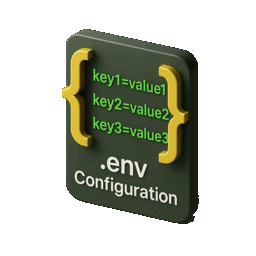
Dynamic Port & Secret Allocation
Used in tpl.env template files
1 Template (tpl.env)

2 Generated (.env)
Template Macros (tpl.env)
| Macro Function | Description | Example Output |
|---|---|---|
getRandomPort() | Allocates a random available port from OS ephemeral range (30000-65000) | 47832 |
getRandomPort(min=X,max=Y) | Allocates a random port within a specific range | 8472 |
getRandomString(length=N) | Generates a cryptographically secure random string | k9Xp2mLq8vNw3rTz6yBc1dFg4hJa7sMn |
getRandomString(length=N,charset=X) | Random string with specific charset: alphanumeric, safe, hex | a8f2c3d4e5b6a7f8 |
Manifest Template Variables (*.yaml)
| Syntax | Description | Example |
|---|---|---|
${{ env.VAR_NAME }} | Reference an environment variable in manifest YAML | port: "${{ env.ASD_CADDY_PORT_HTTP }}" |
${{ macro.bcryptEnv(VAR) }} | Bcrypt hash an environment variable (for basic auth) | password: "${{ macro.bcryptEnv('ASD_BASIC_AUTH_PASSWORD') }}" |
How It Works
 How It Works
- 1 Define ports/secrets in
tpl.envusing macro functions - 2 Run
asd initto expand macros into.env - 3 Reference generated values in manifests with
${{ env.VAR }} - 4 Port registry prevents conflicts across all your services
G VideoPlaceholder

Demo Video
This is a placeholder for video content
3:45Saved Components (For Later Use)
S1 CTO Quote Block
Saved from How It Works page - use in testimonials or trust section
"Every broken environment is a tax on your best engineers.
Legacy Components (For Review)
1 HowItWorksSection
The ASD Stack
Orchestration-as-a-Service: Five layers from user to infrastructure.

What happens when you run asd start
CLI reads asd.yaml and detects services
Establishes encrypted SSH tunnel to relay server
Caddy configures routes and TLS certificates
Public URL maps to your local port
https://your-project.tunnel.asd.host → localhost:3000What each part does.
.ASD CLI
DevOps automation framework. Portable Git submodule.
Caddy Server
Local reverse proxy with automatic HTTPS.

Tunnel Server (Sish)
SSH-based reverse tunnel relay. EU hosted.
ASD Dashboard
Zero-backend PWA. Runs entirely in browser.
One file defines your entire environment.
network:
  services:
    app:
      dial: "127.0.0.1:5173"
      tunnelPrefix: "demo"
      path: "/"
    api:
      dial: "127.0.0.1:8080"
      path: "/api"
    code:
      dial: "127.0.0.1:8443"
      path: "/code"

automation:
  dev:
    - npm run dev
  test:
- npm run testDeclares services
Maps local ports to URL paths. ASD routes /api to port 8080, /code to port 8443.
Sets tunnel prefix
Your subdomain: demo.tunnel.asd.host. Or use your own domain via CNAME.
Defines automation
Named command groups. asd dev runs your dev workflow. asd test runs tests.
Portable across machines
Same file works on laptop, CI runner, Codespace, or self-hosted server. Zero per-machine config.
Choose your infrastructure model.
Shared
Multi-tenant tunnel server. Fastest to start.

Dedicated
Your own tunnel server. We manage it.
Self-Hosted
Run everything on your infrastructure.
Where your data flows and what we never see.
Your Machine
Code, data, secrets stay here

Relay
Pass-through only

Collaborator
Sees only what you expose
What stays local
 What stays local
- • Your source code
- • Database contents
- • Environment variables
- • API keys and secrets
- • All application data
What touches relay
- • HTTP request headers (routing)
- • TLS handshake (encrypted)
- • Connection metadata only
- • No logging of payloads
- • Session-scoped tokens
Zero-backend dashboard: The ASD Dashboard is a static PWA. No server. State lives in URL fragments — we literally cannot see your service list.
Ready to see it in action?
Start free. No credit card required.
2 ImpactSection
Every broken environment is a tax on your best engineers.
When teams can't quickly reach the environments where things actually break, they lose time, focus, and confidence. Toil goes up, incident response slows down, and your best people debug infrastructure instead of shipping features.

Slower Delivery
Configuration drift and developer friction blow up Cycle Time and Lead Time for changes. Developer productivity metrics suffer.

Higher MTTR
Every incident starts with "who can even reach this environment?" Root cause analysis tools can't help if you can't access the system.

Onboarding Drag
New engineers spend weeks wrestling with environment setup instead of contributing. Fast developer onboarding requires standardized environments.
Security Risk
Ad-hoc SSH keys and long-lived VPNs make audits painful and leave access trails incomplete.
3 KeyAdvantagesSection
Why ASD beats screen sharing, VPNs, and log dashboards.
Replace fragmented tools with a unified collaboration layer that gives everyone interactive access to real environments.
| Alternative | The Problem | ASD Advantage |
|---|---|---|
| Screen sharing | One person drives; others watch and dictate. Doesn't work on headless servers. | One shared dashboard URL with code server, browser terminals and database tools on the same environment — every role works in parallel, not through one driver. |
| VPN + SSH | Long-lived keys, hard to audit, risky to manage. | Short-lived, session-scoped tunnels with full audit trails. |
| Log dashboards | Logs show symptoms, not system behavior. Slow to debug distributed failures. | Step directly into the failing environment and run live experiments together. |
| DIY scripts | Scripts rot; config drift breaks onboarding and 'works on my machine.' | Standardized shared environments guarantee reproducibility and instant productivity. |



vs Screen sharing

One person drives; others watch and dictate. Doesn't work on headless servers.
One shared dashboard URL with code server, browser terminals and database tools on the same environment — every role works in parallel, not through one driver.
vs VPN + SSH
Long-lived keys, hard to audit, risky to manage.
Short-lived, session-scoped tunnels with full audit trails.
vs Log dashboards
Logs show symptoms, not system behavior. Slow to debug distributed failures.
Step directly into the failing environment and run live experiments together.
vs DIY scripts
Scripts rot; config drift breaks onboarding and 'works on my machine.'
Standardized shared environments guarantee reproducibility and instant productivity.
4 CompetitiveSection
Everything they charge extra for, we include.
One platform. All the tools. No enterprise tax. Compare ASD to the alternatives and see why teams are switching.
Feature Comparison
| Feature | ASD | ngrok | Cloudflare Tunnel | GitHub Codespaces |
|---|---|---|---|---|
| HTTP/HTTPS tunnels | ✓ | ✓ | ✓ | ✗ |
| TCP tunnels | ✓ | ✓ | ✓ | ✗ |
| UDP tunnels | ✓ | ✗ | ✗ | ✗ |
| Self-hosted option | ✓ | Ent. | ✗ | ✗ |
| EU data residency (100%) | ✓ | ◐ | Ent. | Ent. |
| Integrated web IDE | ✓ | ✗ | ✗ | ✓ |
| Database GUI included | ✓ | ✗ | ✗ | ✗ |
| Web terminal included | ✓ | ✗ | ✗ | ✓ |
| HTTP debugger/inspector | ✓ | ✓ | ✗ | ✗ |
| Works offline | ✓ | ✗ | ✗ | ✗ |
| No session time limits | ✓ | ✓ | ✓ | Paid |
| Open source | ✓ | ✗ | ✗ | ✗ |
 Not available
Cost Comparison
Monthly cost for a 10-developer team
ngrok
/month
- No dev tools
- US control plane
Codespaces
/month
- Cloud only
- No tunneling
ASD
/month
- All tools included
- Self-host option
Prices for a 10-developer team. ASD includes IDE, database GUI, terminal, HTTP debugger, and request replay.